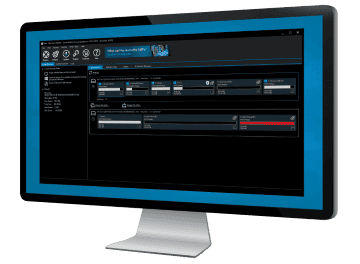
Macrium Reflect™ Information

  • Live imaging with Microsoft Volume Shadow copy Service

    No need to shut down Windows to create a complete disk image of your PC.

  • Simple step by step operation

    Image and Restore using intuitive wizards and interfaces.

  • Restore to new hardware
    New Feature

    Includes Macrium ReDeploy™ to move Windows to a new or virtual PC.
    Including Windows Server!

  • Scripting

    Advanced users can use the VBScript scripting language for complex backup scenarios.

  • Restore individual files and folders

    Create a 'Virtual' drive in Windows Explorer and recover selected files and directories using simple copy and paste operations.

  • Optimize

    You can create full, differential or incremental images to optimize backup speed and disk space requirements.

  • Windows PE 4.0
    New Feature

    Includes the latest Microsoft Windows Recovery Environment for maximum hardware compatibility and effortless restore.

View full feature list

Product Screenshots

Click on thumbnail to view larger version.

Main Window


View the Gallery
"...I am registering my version of the software immediately. Every computer owner needs such a utility to safeguard themselves from a computer meltdown. I thank you for providing it at such a reasonable price."
P Gregg – Australia
"Thanks for rapid and excellent support! Macrium Reflect is the best backup software that I have come across (and I have tested a number of them)."
F Ingman – Finland
"I have been struggling with paragon for years...finally i discovered Macrium Reflect"
D Wilson – USA
"Your product is great - far better than any of the competition I've tried. Your customer service is great - you identified my problem almost immediately and, even though it is Easter weekend, you have provided a prompt and perfect fix."
N Hind – UK
"Whoever wrote this piece of software and documented it to the level of detail that it has been documented deserves a ***** (yes guys that's FIVE stars) award. This is one of the best pieces of resilience / recovery software that I have seen in a long time and is elegantly simple to use.."
J Kent
"I have backed up and restored many Images, many times (I like to try new things) and Macrium has been flawless in its performance."
Dave K
"I just wanted to say THANK YOU so much for your amazing software"
Anthony Ares
" The clarity and simplicity of the processes and the ability to expand the schedules to perform supplementary jobs makes Reflect stand out from the crowd"
Martin Blackwell
"Whoever wrote this piece of software and documented it to the level of detail that it has been documented deserves a *****"
John Kent
"I just wanted to let you know that I LOVE your product. It is wickedly fast, inexpensive and easy to use and it has worked flawlessly."
Victor Henderson
"Just wanted to give words of praise for your magnificent software."
Mr D Poet
"I am writing to tell you that it's (Reflect) already SAVED ME!"
Mr D.R Courtney - US
"I just wanted to give your Reflect product an unsolicited accolade."
Norm Werner
"Macrium Reflect freeware and it is by far the best backup and restore program I've ever used."
Hank Friedman
"I wish to compliment you on an excellent piece of S/W."
Albert Kleyn
"Just a note to thank all of you for the wonderful work on Macrium Reflect."
T. Bass - US
"This is just to say a thank you for your excellent product."
John Voller
"Macrium Reflect is the best backup solution I have used in my entire career "
D Crockford
"I loaded a Trial edition on Three of his servers, has not missed one, and he is falling in love with the file structure"
eDecisions (Ken Corbett)
"Macrium is elegant, fast and robust."
Robin Biles Selbi IT Solutions
"You provide the best support I've ever received with a new application."
Jesse - Chandler, Arizona
"I would just like to say that I find the software excellent."
Rod Smith
"This is really a great product for an even greater price!"
L Textor – Switzerland
"Once again, thanks for your company's amazing customer support!"
Jas - Kent, England
"The difference between your software company and many others is that Macrium stands behind their software and gives great support when needed."
Joe Payne - Oklahoma
"Can you imagine my disbelief and disappointment when the hard drive on my two month old computer failed?"
Ferne - Phoenix, Arizona

Latest Knowledgebase Articles

Macrium Knowledgebase RSS
v5 - How to run DiskRestore from Windows PE
Tuesday, April 30, 2013

This article explains how to run DiskRestore from the v5 Windows PE rescue environment. DiskRestore provides an alternative method to restore disk images when running Windows PE. The normal Macrium Reflect restore process is a partition based restore. This enables contro...

How to verify image and backup files from the command line
Sunday, April 28, 2013

This article explains how to verify Macrium Reflect image and backup files using the standalone command line verification tool 'Verify.exe'. Verify.exe supports individual file verification as well as folder and sub-folder file search and verification. Please us...

v5: Windows XP BSOD MULTIPLE_IRP_COMPLETE_REQUESTS when creating rescue CD
Friday, April 05, 2013

This article details the issues with Norton Internet Security (NIS) 2013 when creating the Macrium Windows PE rescue media on Windows XP Problem When creating rescue media in Macrium Reflect when Norton Internet Security 2013 installed you may receive the follo...

What user name and password is used when scheduling a backup?
Tuesday, March 12, 2013

This article explains how to find the user name and password required when scheduling a backup task with Macrium Reflect Macrium Reflect uses the standard Windows task scheduler to schedule backup jobs. To ensure that tasks can run when no users are logged on to the compu...

Go to Knowledgebase