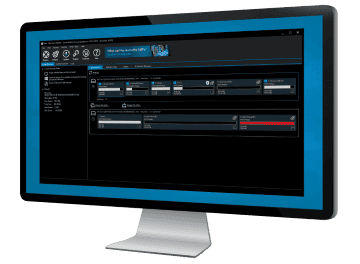
Macrium Reflect™ Information

  • Live imaging with Microsoft Volume Shadow copy Service

    No need to shut down Windows to create a complete disk image of your PC.

  • Simple step by step operation

    Image and Restore using intuitive wizards and interfaces.

  • Restore to new hardware
    New Feature

    Includes Macrium ReDeploy™ to move Windows to a new or virtual PC.
    Including Windows Server!

  • Scripting

    Advanced users can use the VBScript scripting language for complex backup scenarios.

  • Restore individual files and folders

    Create a 'Virtual' drive in Windows Explorer and recover selected files and directories using simple copy and paste operations.

  • Optimize

    You can create full, differential or incremental images to optimize backup speed and disk space requirements.

  • Windows PE 3.1
    New Feature

    Includes the latest Microsoft Windows Recovery Environment for maximum hardware compatibility and effortless restore.

View full feature list

Product Screenshots

Click on thumbnail to view larger version.

Main Window


View the Gallery
"This is really a great product for an even greater price!"
L Textor – Switzerland
"...I am registering my version of the software immediately. Every computer owner needs such a utility to safeguard themselves from a computer meltdown. I thank you for providing it at such a reasonable price."
P Gregg – Australia
"Thanks for rapid and excellent support! Macrium Reflect is the best backup software that I have come across (and I have tested a number of them)."
F Ingman – Finland
"I have been struggling with paragon for years...finally i discovered Macrium Reflect"
D Wilson – USA
"Your product is great - far better than any of the competition I've tried. Your customer service is great - you identified my problem almost immediately and, even though it is Easter weekend, you have provided a prompt and perfect fix."
N Hind – UK
"Whoever wrote this piece of software and documented it to the level of detail that it has been documented deserves a ***** (yes guys that's FIVE stars) award. This is one of the best pieces of resilience / recovery software that I have seen in a long time and is elegantly simple to use.."
J Kent
"I have backed up and restored many Images, many times (I like to try new things) and Macrium has been flawless in its performance."
Dave K
"I just wanted to say THANK YOU so much for your amazing software"
Anthony Ares
" The clarity and simplicity of the processes and the ability to expand the schedules to perform supplementary jobs makes Reflect stand out from the crowd"
Martin Blackwell
"Whoever wrote this piece of software and documented it to the level of detail that it has been documented deserves a *****"
John Kent
"I just wanted to let you know that I LOVE your product. It is wickedly fast, inexpensive and easy to use and it has worked flawlessly."
Victor Henderson
"Just wanted to give words of praise for your magnificent software."
Mr D Poet
"I am writing to tell you that it's (Reflect) already SAVED ME!"
Mr D.R Courtney - US
"I just wanted to give your Reflect product an unsolicited accolade."
Norm Werner
"Macrium Reflect freeware and it is by far the best backup and restore program I've ever used."
Hank Friedman
"I wish to compliment you on an excellent piece of S/W."
Albert Kleyn
"Just a note to thank all of you for the wonderful work on Macrium Reflect."
T. Bass - US
"Great software, I have used Norton Ghost, and Acronis True Image, but this is by far the best."
Rod Smith
"Just a quick note to thank you for your excellent product."
Karen Parker
"This is just to say a thank you for your excellent product."
John Voller
"I just wanted to let you know what an excellent product Reflect is."
J Diment
"Macrium Reflect is the best backup solution I have used in my entire career "
D Crockford

Latest Knowledgebase Articles

Macrium Knowledgebase RSS
v5: Command line arguments
Tuesday, January 24, 2012

It is possible run reflect.exe from the command line or VB script. A number of command line arguments allow the user flexibility to perform a number of actions. There are three main usage areas as follows: Running a backup Mounting an image Unmounting ...

Understanding Disk encryption and Macrium Reflect
Monday, January 23, 2012

Disk encryption software is provided by Microsoft under the name Bitlocker. Various third party tools, such as TrueCrypt, McAfee SafeBoot and PGP Whole Disk Encryption offer similar functionality. You can choose to encrypt your data in the following ways. 1) System disk/...

Backup Aborted! - Unable to lock volume
Wednesday, January 18, 2012

Error Error: Backup aborted! - Unable to lock <volume>, Please reboot and retry Description This error can be generated during a backup operation when VSS fails to create a snapshot and the alternate Para...

Macrium Reflect Support, Updates and Upgrades
Monday, January 16, 2012

Macrium Software takes customer support seriously and this article describes duration and nature of that support. The support for the current version 5 is the same as that for the previous version 4. There has been no downgrading of support, we pride ourselves on the su...

Go to Knowledgebase